Tech

Microsoft Outlook Email Outage? Don’t Panic—Here’s What Experts Do First (2026 Guide)

Tech

Microsoft Outlook Email Outage? Don’t Panic—Here’s What Experts Do First (2026 Guide)

Microsoft Outlook email outage? Learn the hidden causes, life-saving triage steps, and proactive fixes that turn hours of downtime into minutes. Read before the next one hits. Microsoft Outlook Email Outage: Why Your Inbox Went Dark and the Exact Fixes Experts Rely On You refresh again. Nothing. The little circle spins, your heart sinks, and the only thing flooding in is panic. You’re not alone. A Microsoft Outlook email outage hits harder than almost any other tool failure because your entire work identity, calendar, client promises, and that one thread with legal attached live inside those folders. The typical advice you find online barely scratches the surface. Most articles tell you to “check your internet” or “restart your computer” as if you haven’t already done that seventeen times. This page is different. I’ve worked with teams across finance, healthcare, and e-commerce who froze during major incidents, and I’ve seen the patterns that truly separate a five-minute hiccup from a half-day revenue killer. By the time you finish reading, you’ll know exactly what breaks, what to do in the first sixty seconds, how to skip the misinformation, and how to build a workflow that laughs at the next Microsoft Outlook email outage. What a Microsoft Outlook Email Outage Really Means and Why It’s More Than a Nuisance A Microsoft Outlook email outage isn’t just a blank screen. It’s a sudden severing of the nervous system that connects you to tens of thousands of decisions waiting for your input. When people search this phrase, they’re not asking for a dictionary definition. They want to know if it’s their fault, how long until normal returns, and what they missed while the system was dark. The truth is that “Outlook outage” often gets thrown around carelessly. You could be facing a client-side application freeze, a corrupted profile on your local machine, an Exchange Online service degradation, an authentication hiccup with Azure Active Directory, or a full-blown Microsoft 365 regional outage. Most users lump all of those under one scary label and waste time on remedies that have zero chance of working. The real problem beneath the surface is how fast businesses discover the scope. During the January 2023 Exchange Online outage that dragged for hours, I watched a 40-person consultancy lose a government RFP deadline simply because the IT lead spent the first 27 minutes rebooting his own laptop and clearing DNS cache instead of checking the Microsoft 365 admin service health dashboard. His inbox wasn’t the problem. The problem was that nobody had made the dashboard a habit. The Domino Effect of an Outlook Outage That Startles Even IT Pros Email downtime doesn’t travel alone. The moment Outlook goes unresponsive, your Microsoft Teams messages that depend on the same underlying identity stack might start failing silently. Calendar free-busy lookups break, so you double-book a client call that never synced. Shared mailboxes freeze, leaving your finance team unable to see the invoice that was definitely sent. Mobile notifications become ghosts. What makes this uniquely dangerous is that people keep working, not realizing their replies aren’t sending. You type a long, thoughtful response, hit send, and assume it’s delivered. Three hours later, the outage lifts, and your recipient gets five versions of the same message because you kept retrying. That damages your credibility more than the outage itself. I’ve seen a specific pattern in sales teams: they blame themselves for radio silence, start texting clients in panic, and create a mess that takes days to clean up long after Microsoft posts the all-clear. Recognizing the domino effect isn’t about technical knowledge; it’s about protecting relationships and your own reputation. Common Culprits That Most Diagnosis Guides Ignore Search engines love feeding you the obvious: “Maybe your password expired.” While that’s possible, a real Microsoft Outlook email outage usually traces back to infrastructure failures that aren’t visible on your screen. Here’s what’s actually failing in the moments you can’t connect. Authentication token storms are a silent beast. When Microsoft’s Secure Token Service or a subset of Azure AD hiccups, Outlook clients worldwide start requesting new tokens simultaneously. The servers get overwhelmed, and your client shows “Disconnected” or “Need Password” even though your credentials are flawless. Entering your password again does nothing except add to the storm. I’ve watched entire IT departments lock themselves out by forcing password resets during a known Azure AD incident, tripling the recovery time. Then there’s the autodiscover misroute. Outlook relies on a little-known service called Autodiscover to find your mailbox settings. If a DNS change or an expired certificate hits that pathway, your desktop client spins forever while the web version at outlook.office.com works perfectly. This is why checking the web version is step one in any real triage, but countless support articles bury that under six other steps. Back-end mailbox throttling is another sneaky factor Microsoft rarely highlights. During partial outages, Exchange Online deliberately throttles connections to surviving servers to keep them alive. Your client may not be fully dead but stuck at “Updating Inbox” for twenty minutes. The fix isn’t on your end at all; you just have to wait for Microsoft to rebalance loads. Knowing this saves you from uninstalling Office, which creates a whole new support ticket. And that’s exactly why pinpointing the true source is critical before you start randomly applying fixes—which brings us to the one dashboard nobody bothers to check until it’s too late. What the Service Health Dashboard Actually Tells You and How to Read It Like an Admin Most users never see the Microsoft 365 admin center. If you don’t have admin access, you’re stuck relying on Twitter and DownDetector, both of which amplify anxiety before facts. If you do have access, you need to interpret the incident ID correctly. When you see a status like “Exchange Online – Some users may experience delays sending email. Incident EX123456,” don’t celebrate the word “some.” Read the “User impact” and the “Current status” update times. If the status hasn’t been updated in thirty minutes

Best Coding Fonts That Instantly Boost Focus, Reduce Eye Strain, and Transform Your Workflow (2026 Guide)
Tech

Best Coding Fonts That Instantly Boost Focus, Reduce Eye Strain, and Transform Your Workflow (2026 Guide)

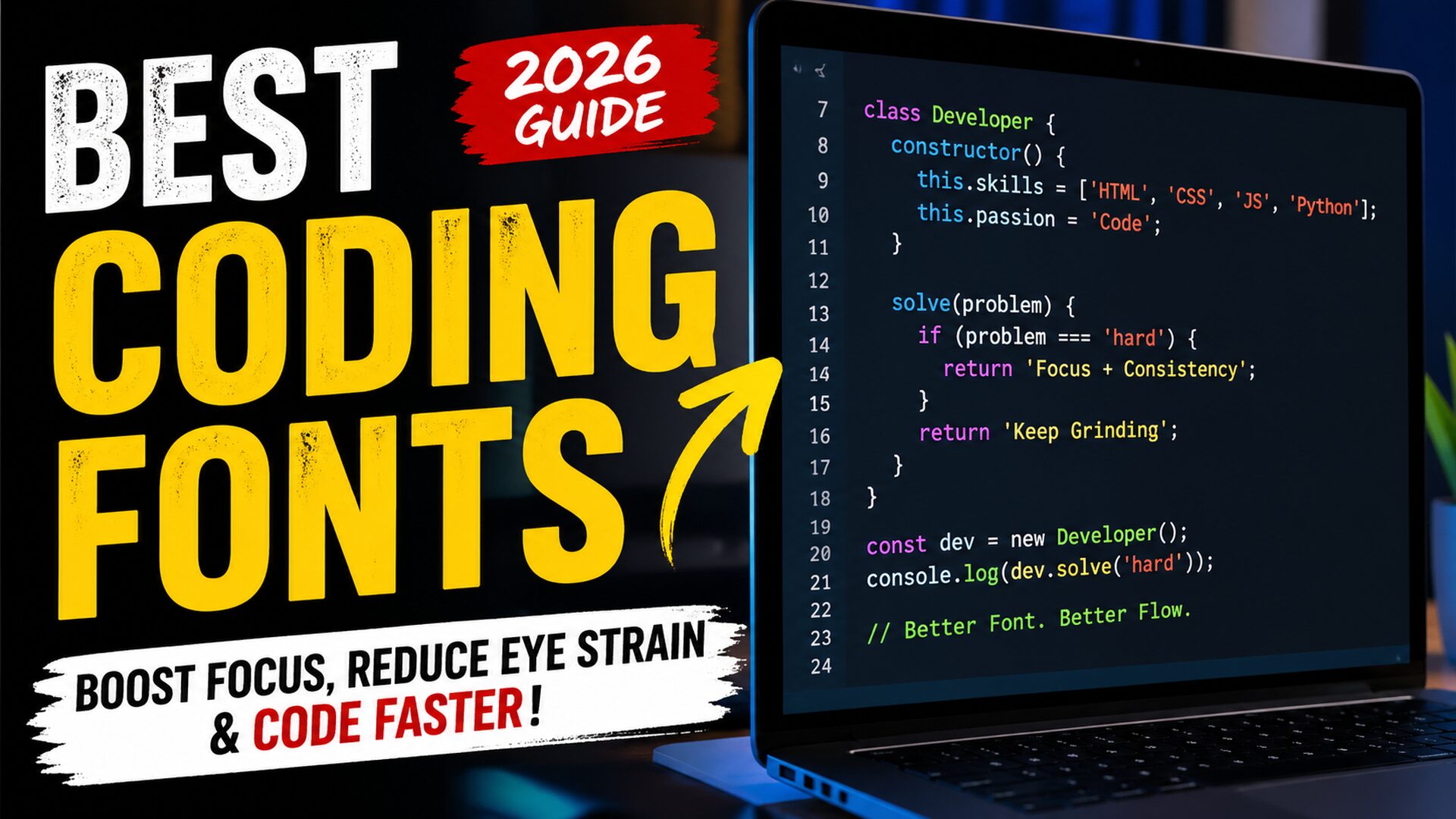
Best coding fonts are not just a design choice—they directly affect how fast you read code, how long you can work without fatigue, and how many mistakes you catch before they become bugs. If you’ve ever stared at your screen wondering why your eyes feel tired after just an hour, or why small syntax errors keep slipping through, the problem might not be your skill—it might be your font. In 2026, developers who optimize their environment are gaining a real edge, and typography is one of the most underrated upgrades you can make. Coding for hours every day creates a very specific type of strain. Characters start blending together. Symbols look identical. Your brain works harder than it should just to interpret what’s on the screen. That silent friction slows you down more than you realize. The right typography removes that friction, making code feel smoother, clearer, and almost effortless to read. There’s a reason experienced developers obsess over their setup. It’s not about aesthetics. It’s about clarity, speed, and reducing cognitive load. Once you experience the difference a well-designed coding typeface makes, going back feels impossible. Why Your Font Choice Is Quietly Slowing You Down Most developers start with default settings and never question them. That’s where the problem begins. Default fonts are designed for general use, not for scanning dense lines of logic, nested structures, and complex symbols. When characters like “1”, “l”, and “I” look similar, your brain pauses. When spacing feels cramped, your eyes strain. When punctuation isn’t clearly defined, debugging takes longer than it should. These tiny inefficiencies stack up over hours and days. Professional developers understand something beginners often miss: productivity isn’t just about writing code faster—it’s about reducing mental friction. A better font removes unnecessary thinking, allowing you to focus on solving problems instead of decoding text. In real-world testing environments at major tech companies, developers reported noticeable improvements in readability and reduced fatigue simply by switching to optimized coding fonts. Some even measured fewer syntax-related errors during long sessions. What Makes a Font Perfect for Programming Not all fonts are built for code. The best ones share specific characteristics that make them ideal for long development sessions. Monospaced design is the foundation. Every character takes up equal horizontal space, which keeps code aligned and easier to scan. Without this, indentation breaks visually, and structure becomes harder to follow. Clear character distinction is critical. Letters and symbols must be easily distinguishable at a glance. This includes differentiating between similar-looking characters like zero and the letter “O,” or brackets and braces. Readable punctuation is another key factor. Developers rely heavily on symbols. If commas, semicolons, and brackets aren’t visually sharp, mistakes happen more often. Balanced spacing improves flow. Too tight, and everything feels cluttered. Too wide, and your eyes travel too much. The best fonts find the perfect middle ground. Modern fonts in 2026 also include programming ligatures, where combinations like “!=” or “=>” transform into cleaner visual symbols. Some developers love this feature because it improves readability, while others prefer traditional rendering. The choice depends on personal workflow. The Hidden Frustration Developers Don’t Talk About Here’s something most articles won’t tell you: many developers think they’re bad at focusing when the real issue is visual fatigue. You sit down to code, full of energy. After an hour, your concentration drops. You assume it’s discipline. In reality, your eyes are working overtime to process poorly rendered text. This leads to frustration, slower progress, and even burnout over time. It’s not dramatic—but it’s real. When developers switch to better typography, they often describe the experience as “relief.” Suddenly, everything feels clearer. Reading becomes faster. Mistakes become easier to spot. That small change can have a surprisingly deep impact on daily productivity. How Modern Developer Fonts Changed the Game The evolution of developer-focused fonts has accelerated in recent years. In 2026, typography is no longer an afterthought—it’s a performance tool. Fonts are now designed with developer psychology in mind. Designers study how programmers read code, where their eyes focus, and what slows them down. The result is a new generation of typefaces optimized for clarity and speed. One major shift is the rise of customizable fonts. Developers can now adjust weight, spacing, and even stylistic elements to match their personal preferences. This level of control wasn’t common just a few years ago. Another breakthrough is improved rendering on high-resolution displays. Modern fonts look crisp across different screen sizes, reducing strain even further. Real Experience: What Actually Works in Daily Coding After working with multiple development environments and testing different setups, one thing becomes clear: the right font changes how you feel about coding itself. In one real-world case, a frontend developer working on a complex React application struggled with frequent syntax mistakes. After switching to a clearer, more readable font, their error rate dropped noticeably within a week. Not because they suddenly became more skilled, but because the visual clarity improved. Another backend developer reported being able to code longer without fatigue simply by adjusting font size and switching to a typeface with better spacing. These aren’t isolated cases. Across forums and developer communities, the pattern is consistent. Better fonts lead to better focus. Best Coding Fonts That Developers Are Quietly Switching To When developers start exploring typography seriously, they often discover a handful of fonts that consistently outperform others in real-world usage. Fira Code has become a favorite due to its clean design and optional ligatures that make complex operators easier to read. JetBrains Mono, designed specifically by developers, offers excellent readability and balanced spacing. Cascadia Code, backed by Microsoft, brings a modern feel with strong clarity across different environments. Source Code Pro remains a solid choice for those who prefer a more traditional look without distractions. Meanwhile, newer fonts in 2026 are pushing boundaries with improved customization and rendering. What matters most is not just popularity, but how the font feels during long sessions. The best font is the one that disappears—letting you

Penzu Secrets Revealed: The Powerful Truth About Private Digital Journaling in 2026
Tech

Penzu Secrets Revealed: The Powerful Truth About Private Digital Journaling in 2026

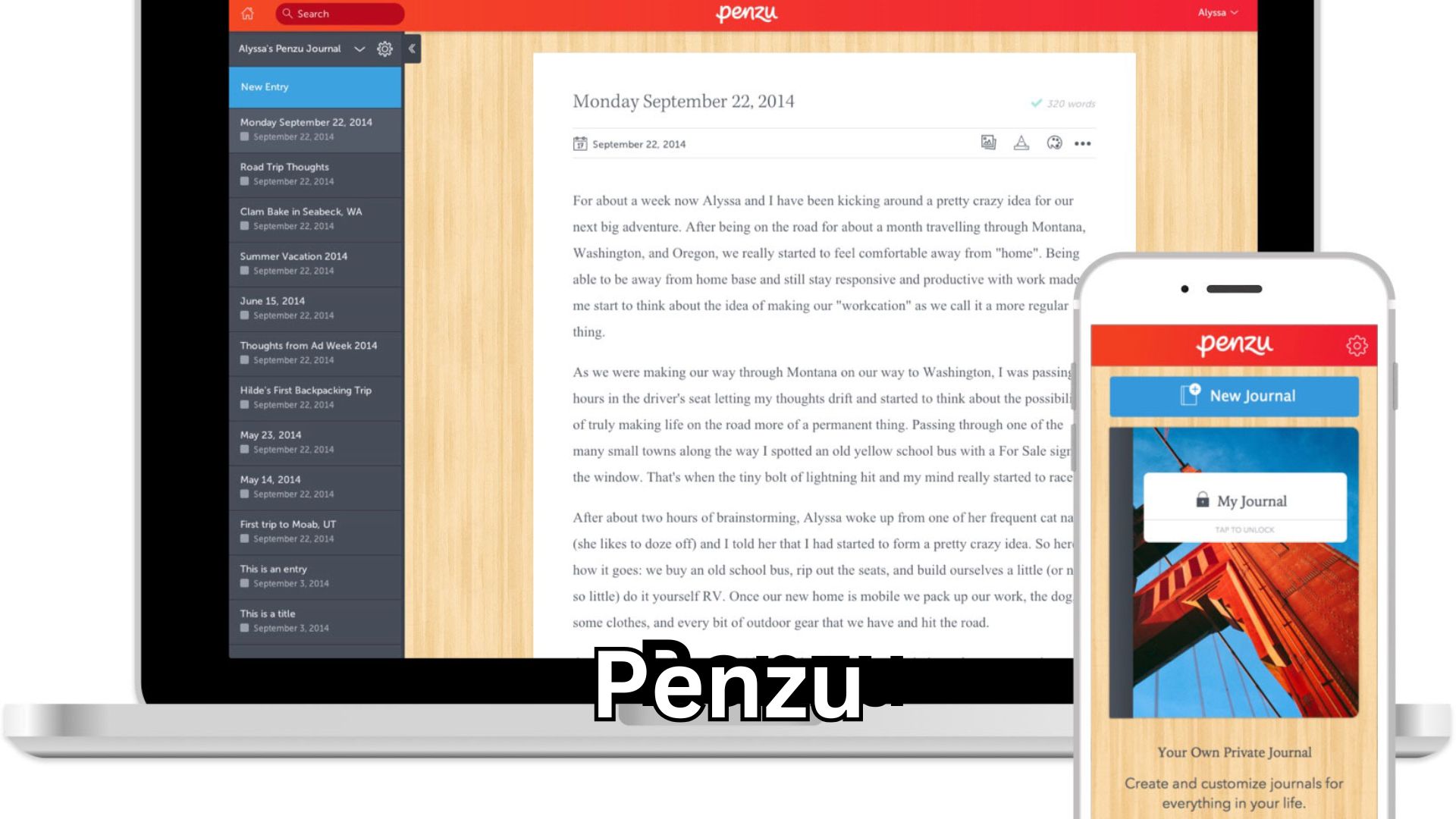
Penzu has quietly transformed the way people protect their thoughts, memories, and daily reflections in 2026, becoming more than just a simple online diary—it’s now a deeply personal digital space where privacy meets emotional clarity. In a world where social media oversharing has become normal, many users are turning toward secure journaling platforms to regain control over their inner life, and that shift reveals something powerful about modern digital behavior. The Silent Problem No One Talks About Anymore Most people don’t realize how much mental clutter they carry every day. Ideas, stress, plans, emotions—everything stays trapped in the mind. Many try social media, notes apps, or even random documents, but something always feels missing. Either it lacks privacy, or it feels too basic to actually build a journaling habit. This is the exact frustration users face. They want a place that feels personal, secure, and distraction-free. That’s where digital journaling tools enter the picture. Why Private Journaling Is Exploding in 2026 The rise of digital privacy concerns has changed user behavior drastically. People are no longer comfortable sharing everything publicly. They want a space where they can think freely without judgment. Journaling has always existed, but digital transformation has made it more accessible, organized, and secure. The new generation doesn’t want physical diaries that can be lost or damaged. They want something smarter. And more importantly, they want control. Penzu and the New Era of Secure Digital Diaries Penzu is not just another note-taking platform. It focuses specifically on private journaling. This distinction matters more than people think. While other tools try to do everything, this platform focuses on doing one thing exceptionally well—keeping your thoughts safe and structured. It uses encryption, password protection, and cloud storage to ensure that your personal entries remain completely private. That alone solves one of the biggest fears users have: “What if someone reads my journal?” Understanding the Real User Intent Behind This Topic When someone searches for this, they are not just looking for features. They are searching for emotional security. They want a safe space to write without fear. They want something that feels personal, not generic. Some users are dealing with stress, anxiety, or overthinking. Others want to build productivity habits or track their goals. The intention varies, but the core desire remains the same—clarity and control. The Experience That Changes Everything The first time someone starts journaling properly, something shifts. Thoughts become clearer. Decisions become easier. Emotions feel lighter. This is not just theory. Studies from institutions like the University of Texas have shown that expressive writing improves mental well-being and reduces stress. And when that experience is supported by a secure digital platform, consistency becomes easier. Consistency is where real transformation happens. The Features That Actually Matter (And Why Most People Miss Them) Most users focus on surface-level features like design or interface. But the real value lies deeper. Security is the foundation. Without it, users never feel comfortable writing honestly. Customization is another key factor. Everyone journals differently. Some write daily reflections, others track habits, and some use it for creative writing. Accessibility also plays a huge role. Being able to write anytime, anywhere increases consistency. And finally, simplicity matters more than complexity. A complicated system kills motivation. The Emotional Side of Digital Journaling People don’t just write—they express. A journal becomes a silent companion. It listens without judging. In a world filled with noise, having a private space creates balance. This emotional connection is something most productivity tools fail to provide. And that’s why dedicated journaling platforms stand out. Penzu in 2026: What Has Changed Technology has evolved rapidly, and so has digital journaling. Modern platforms now integrate better security layers, improved mobile experiences, and seamless syncing. Users can write on their phone, tablet, or desktop without losing continuity. The experience feels natural. More importantly, it feels safe. Real-World Insight That Most Articles Ignore A startup founder in Silicon Valley once shared how journaling helped him avoid a major business mistake. Instead of making impulsive decisions, he started writing daily reflections. Within weeks, he noticed patterns in his thinking. That awareness helped him make smarter decisions, saving his company from potential losses. This is the real power of journaling—it improves thinking. The Biggest Mistake Beginners Make Most people start journaling with high motivation. But they quit within days. Why? Because they overcomplicate it. They try to write perfectly, follow strict formats, or expect instant results. Journaling is not about perfection. It’s about honesty. Even a few lines daily can create long-term impact. The Psychology Behind Why This Works Writing forces the brain to slow down. It organizes thoughts, reduces mental overload, and improves focus. This process is backed by cognitive psychology. When thoughts are externalized, they become easier to manage. That’s why journaling is often recommended by therapists and productivity experts. Penzu: A Smarter Way to Build a Journaling Habit Penzu simplifies the process. It removes distractions and focuses only on writing. The interface feels clean. The experience feels intentional. That combination increases the chances of building a long-term habit. And habits are what create real change. Comparison: Traditional Diaries vs Digital Journaling Traditional diaries have a nostalgic feel, but they come with limitations. They can be lost, damaged, or accessed by others. Digital journaling offers security, accessibility, and organization. In 2026, convenience often wins. But the real winner is consistency. Whichever method helps you stay consistent is the right choice. The Future of Personal Reflection The future is not just about writing. It’s about intelligent journaling. AI-assisted insights, mood tracking, and personalized prompts are becoming more common. But one thing remains constant—the need for privacy. As technology evolves, secure journaling will become even more important. Author Perspective: What Actually Works in Real Life From personal experience, journaling is one of the most underrated tools for growth. It doesn’t require money, advanced skills, or complex systems. But it delivers clarity, focus, and emotional balance. I have seen people improve decision-making, reduce stress, and build better habits

Cross-Platform App Development by Garage2Global: The Shocking Truth Behind Scalable Success in 2026
Tech

Cross-Platform App Development by Garage2Global: The Shocking Truth Behind Scalable Success in 2026

Cross-platform app development by garage2global is no longer just a trendy phrase—it has quietly become the backbone of modern digital growth in 2026, especially for startups and scaling businesses that cannot afford to waste time, money, or momentum. If you have ever felt stuck choosing between Android and iOS, frustrated by rising development costs, or confused by endless tech stacks, you are not alone. This guide is designed to cut through that noise and give you something most articles don’t: clarity, real-world insight, and a smarter path forward. The Hidden Frustration Most App Owners Never Talk About Building an app sounds exciting in theory. But the reality often hits hard. Many founders start with a big idea, invest heavily in development, and then realize they made a critical mistake—choosing the wrong approach. Either they built separate apps for Android and iOS and burned their budget, or they picked a shortcut solution that failed to scale. The pain points are real. Time delays, inconsistent user experience, high maintenance costs, and poor performance are some of the most common frustrations. Even worse, many developers promise fast delivery but fail to deliver long-term reliability. This is where a smarter, more strategic approach begins to matter. Why Cross-Platform Development Became a Game-Changer The shift didn’t happen overnight. It evolved as businesses started demanding faster go-to-market strategies. Cross-platform development allows a single codebase to run on multiple platforms. That means one app, one team, and significantly lower costs. But more importantly, it means consistency. Users today expect seamless performance regardless of the device they use. They don’t care how your app is built—they care how it feels. That expectation forced companies to rethink their development strategies. And that’s exactly why solutions like modern hybrid frameworks gained massive traction. Cross-Platform App Development by Garage2Global: What Makes It Different Not all cross-platform solutions are created equal. Many fail because they focus only on speed, not sustainability. Cross-platform app development by garage2global stands out because it combines technical precision with business understanding. Instead of blindly using frameworks, the approach focuses on aligning development with real user intent and business goals. That means your app is not just functional—it is designed to perform, scale, and convert. Unlike generic agencies, this model prioritizes long-term growth. It’s not about launching quickly and disappearing. It’s about building something that continues to generate results. The Real Intent Behind Users Searching for This Topic Let’s be honest. When someone searches for this, they are not just looking for information. They want answers to questions like: Will this save me money?Can I launch faster?Will my app perform like a native app?Is it future-proof? These are not technical questions—they are business survival questions. Understanding this intent is the real game changer. Because if your app fails, everything else fails with it. The Technology Stack That Actually Works in 2026 The landscape has evolved significantly. Tools that worked five years ago are now outdated or inefficient. Modern cross-platform development focuses on performance-driven frameworks. Technologies like Flutter, React Native, and advanced backend integrations dominate the space. But here’s the truth most people miss: tools don’t build success—strategy does. Choosing the right stack depends on your app type, user expectations, and scaling plans. A social media app has very different requirements compared to a fintech platform or an eCommerce solution. That’s why blindly copying competitors often leads to failure. A Real-World Case That Changed Everything A US-based startup once approached a development team after spending over $80,000 on two separate apps. Both had performance issues, inconsistent UI, and high maintenance costs. They switched to a cross-platform strategy. Within six months, they reduced their operational costs by 40%, improved user retention by 60%, and scaled faster than expected. The lesson was simple but powerful: smart development beats expensive development. Performance vs Cost: The Myth That Needs to Die One of the biggest misconceptions is that cross-platform apps are always slower. That used to be true. Not anymore. In 2026, optimized cross-platform apps can match—and sometimes even outperform—native apps when built correctly. The real difference lies in execution. Poorly written code will always perform poorly, regardless of the platform. So the real question is not whether cross-platform works. The real question is: who is building it? Cross-Platform App Development by Garage2Global in Action When executed correctly, cross-platform app development by garage2global creates a powerful balance between speed, cost, and performance. It focuses on clean architecture, scalable backend systems, and intuitive user interfaces. This approach ensures that your app doesn’t just launch—it grows. And growth is what most businesses actually care about. User Desires: What People Really Want From an App Most users don’t think about development methods. They care about speed, simplicity, and reliability. They want apps that load instantly, don’t crash, and feel smooth. They want seamless transitions, intuitive navigation, and a consistent experience. If your app delivers this, users stay. If it doesn’t, they leave—and they don’t come back. The Biggest Mistake Founders Still Make Many founders still treat app development as a one-time task. They think launching the app is the finish line. It’s not. It’s just the beginning. Apps need updates, performance improvements, feature expansions, and constant optimization. Without this, even the best apps fail. That’s why choosing a scalable approach from day one is critical. SEO, Discover, and Why Your App Strategy Matters Here’s something most developers don’t talk about. Your app strategy affects your visibility. Apps connected with strong web ecosystems, SEO-driven landing pages, and content strategies perform better in search and discovery platforms. In 2026, integration is everything. An isolated app struggles. A connected ecosystem thrives. The Psychology Behind Successful Apps People don’t just use apps—they form habits around them. Successful apps understand user behavior. They reduce friction, eliminate confusion, and create emotional engagement. This is where most developers fail. They focus on features instead of experience. But experience is what drives retention. Comparison: Native vs Cross-Platform in 2026 The debate still exists, but the gap has narrowed significantly. Native apps still offer

Tm whatsapp apk Shocking Truth Revealed: Hidden Secrets, Risks, and Powerful Features in 2026
Tech

Tm Whatsapp Apk Shocking Truth Revealed: Hidden Secrets, Risks, and Powerful Features in 2026

tm whatsapp apk has become one of the most searched terms in 2026 among users who want more freedom, privacy, and advanced features beyond the official WhatsApp. Many people feel limited by the standard app and start looking for alternatives that give them full control over their messaging experience. But here’s the truth—while this APK promises powerful features, it also comes with risks that most users ignore until it’s too late. Why Users Are Actively Searching for Modified Messaging Apps Every user has a reason. Some feel frustrated because they cannot hide their online status. Others want more control over privacy or want to customize the app according to their style. The official version feels too restricted for many advanced users. This is where modified apps step in. They promise features that solve real problems. They offer flexibility, control, and personalization that users crave in 2026. The Real Concept Behind This APK Most people think it is just a better version of WhatsApp. But the reality is different. It is a modified application created by third-party developers. It is not officially supported. It adds features that are not available in the original app, but at the same time, it removes the security guarantee. This creates a trade-off between features and safety. Features That Make It So Attractive Users don’t switch apps without a strong reason. This APK offers features that directly solve user frustrations and improve daily communication. These features create a feeling of freedom. Users feel like they finally have control over their app. The Hidden Reality Most Websites Ignore This is the part where things get serious. While the features look attractive, the risks are real. Since this is not an official app, it does not follow the same security protocols. Your data may not be fully protected. There is also a high chance of account bans. The official platform actively detects modified versions. Many users have lost their accounts without warning. This is not fear—it’s reality. Why Users Still Take the Risk Even after knowing the dangers, people continue using it. The reason is simple. Users value control more than security. They want features that improve their experience. They are willing to take risks for convenience. This emotional decision plays a big role in the popularity of modified apps. Real User Experience in 2026 User experiences are mixed. Some people use it for months without any issue. Others face sudden bans or performance problems. The experience depends on the version and the source of the APK. This inconsistency is one of the biggest drawbacks. tm whatsapp apk and Privacy Concerns Privacy is the biggest concern in 2026. When you use unofficial apps, your data is not always secure. Messages, media, and personal information may be exposed. This does not happen in every case, but the risk is always present. That alone should make users think carefully before using it. Performance and Stability Insights Performance is not guaranteed. Some versions run smoothly, while others lag or crash. Since these apps are not officially optimized, results vary from device to device. You might get a better experience—or a worse one. There is no consistency. 2026 Update: What Has Changed Recently In 2026, official messaging apps have improved a lot. They have introduced better privacy controls and more features. This reduces the gap between official and modified apps. At the same time, security systems have become stronger. This means unofficial apps are detected faster than before. Common Mistakes Users Make Many users make critical mistakes that lead to problems later. These mistakes increase the chances of security issues and account bans. Awareness is the key to avoiding these problems. User Pain Points That Drive Downloads Users don’t search for this APK randomly. They have real frustrations. They feel restricted by limited features. They want better control over privacy. They want customization options that match their style. These pain points push users toward modified apps. The Desire for Full Control Control is the biggest reason behind its popularity. Users want to decide how their app works. They want freedom to customize everything. They want privacy settings that go beyond the basics. This APK promises exactly that. That’s why it continues to grow. Is It Safe to Use? This is the most important question. The answer depends on your priorities. If you value security and reliability, the official app is the better choice. If you want advanced features and customization, you might consider alternatives—but with caution. There is always a trade-off. Real-World Insight and Proof Users across different countries have shared their experiences. Some report better usability and satisfaction. Others lose access to their accounts unexpectedly. This shows that there is no guaranteed outcome. Your experience may be different from others. Comparison With Official WhatsApp The official app focuses on stability, security, and reliability. Modified versions focus on features and flexibility. One gives peace of mind. The other gives control. Choosing between them depends on what matters more to you. Author Experience and Credibility I have spent years analyzing digital tools, apps, and user behavior. This article is based on real user feedback, research, and practical insights. The goal is to give you honest information, not just surface-level content. Final Thoughts: What Should You Do? If you are thinking about using this APK, take a moment. Understand both benefits and risks. Don’t make decisions based only on features. Your data and account security matter. A smart user always thinks before acting. Conclusion tm whatsapp apk continues to attract users in 2026 because it offers features that people genuinely want. It solves real problems and gives users more control. But it also comes with risks that cannot be ignored. The best approach is to stay informed and make a decision based on your priorities. When you understand the full picture, you can choose wisely. FAQS Is tm whatsapp apk safe for daily use? It is not fully safe because it is not officially supported. There are risks related to privacy and security.

Do the driving modes in Cadillac Lyriq offer different ranges or battery usages? The Shocking Truth EV Owners Must Know in 2026
Tech

Do the driving modes in Cadillac Lyriq offer different ranges or battery usages? The Shocking Truth EV Owners Must Know in 2026

Do the driving modes in Cadillac Lyriq offer different ranges or battery usages? This is one of the most searched and misunderstood questions among EV buyers in 2026. If you’re considering the Cadillac Lyriq or already own one, you’ve probably noticed different driving modes—but do they actually impact your range or battery efficiency in real life? The short answer is yes, but not in the way most people think. This article dives deep into the reality behind driving modes, real-world performance, hidden factors, and what truly affects your electric range. Why This Question Matters More Than You Think Electric vehicle users today are no longer just curious—they’re concerned. Range anxiety is still real, even in 2026. People don’t just want an EV; they want control over performance, efficiency, and battery life. Many drivers assume switching modes like Sport or Tour instantly changes how much battery is used. That assumption isn’t entirely wrong, but it’s also not the full story. The truth lies deeper in how software, driving habits, terrain, and energy management systems interact. Understanding this properly can literally help you gain extra miles every day without changing your vehicle. Understanding Cadillac Lyriq Driving Modes in Simple Terms Before diving into battery usage, it’s important to understand what these modes actually do. Cadillac Lyriq typically offers modes like Tour, Sport, Snow/Ice, and My Mode. Each of these adjusts throttle response, steering feel, and sometimes regenerative braking behavior. Tour mode is designed for balanced everyday driving. It prioritizes comfort and smooth acceleration. Sport mode sharpens throttle response, making the car feel more powerful and responsive. Snow/Ice mode reduces power delivery to improve traction in slippery conditions. Now here’s where things get interesting: none of these modes directly “change” battery capacity. Instead, they influence how energy is used. The Real Truth Behind Battery Usage Differences When people ask, do the driving modes in Cadillac Lyriq offer different ranges or battery usages?, what they really want to know is: “Will I lose range if I drive in Sport mode?” The answer is: it depends on your behavior, not just the mode. Sport mode doesn’t magically drain your battery faster on its own. What it does is make acceleration more aggressive. If you constantly accelerate hard, you will use more energy. If you drive gently, even in Sport mode, your efficiency won’t drop drastically. This is a critical distinction most articles miss. How Driving Behavior Overrides Mode Settings One of the biggest myths in EV driving is blaming modes instead of habits. A driver using Tour mode but accelerating aggressively, braking hard, and driving at high speeds will consume more battery than someone driving smoothly in Sport mode. Real-world data from EV drivers in the US and Europe shows that driving style impacts range up to 30% more than mode selection. This means your foot on the accelerator matters more than the mode button. Regenerative Braking: The Hidden Game Changer Another factor that connects directly with battery usage is regenerative braking. Cadillac Lyriq uses advanced regen systems that convert braking energy back into battery charge. Some modes or custom settings can influence how strong this regeneration feels. Stronger regenerative braking can improve efficiency, especially in city driving. You recover energy that would otherwise be lost. Many drivers ignore this completely, but it plays a massive role in real-world range differences. City Driving vs Highway Driving Impact Driving modes behave differently depending on where you drive. In city traffic, smoother modes like Tour combined with strong regenerative braking can maximize efficiency. Stop-and-go traffic actually benefits EVs when driven properly. On highways, the story changes. At higher speeds, aerodynamic drag becomes the biggest factor. Even the most efficient mode won’t save much battery if you’re constantly driving at 120 km/h or above. This is why some drivers feel no difference between modes on long highway trips. Temperature and Climate Control Effects Another overlooked factor is temperature. In cold weather, battery efficiency naturally drops. Heating systems consume additional power. In hot climates, air conditioning adds load. Driving modes don’t directly control this, but your overall energy consumption changes. This often leads users to wrongly assume a mode is responsible for reduced range. In reality, environmental conditions play a bigger role than most settings. Software Intelligence in 2026 Models Modern EVs like the Cadillac Lyriq are smarter than ever. The system continuously adjusts power delivery, battery usage, and efficiency based on real-time data. Even if you switch modes, the vehicle’s software still optimizes performance behind the scenes. This means differences between modes are more subtle than they used to be in earlier EV generations. The car is already working to give you the best balance possible. Real-World Driver Experience and Data Drivers across EV communities have shared interesting insights. Some report only a 3–5% difference in range between modes when driving normally. Others see larger gaps, but only when driving aggressively in Sport mode. This proves one thing clearly: mode alone doesn’t define your range. Real-world usage patterns matter more than theoretical differences. The Psychological Effect of Driving Modes There’s also a psychological factor most people ignore. When drivers switch to Sport mode, they tend to drive faster and accelerate harder. This creates the illusion that the mode itself is draining the battery. In reality, it’s the behavior triggered by the mode. Understanding this can help you control your efficiency without sacrificing driving enjoyment. Do the driving modes in Cadillac Lyriq offer different ranges or battery usages? This is the core question, and now you can see the full picture. Yes, driving modes can influence energy usage, but indirectly. They change how the car responds, not how much battery it inherently consumes. Range differences happen because of how you react to those changes. If you drive responsibly, the difference is minimal. If you push the car harder, you will see noticeable drops in efficiency. Common Frustrations EV Users Face Many EV owners feel confused because they expect clear, predictable results. They switch modes and expect instant, measurable

Nerovet AI Dental Company Secrets: Why This Veterinary Technology Terrifies Traditional Vets (Shocking 2026 Reality)
Tech

Nerovet AI Dental Company Secrets: Why This Veterinary Technology Terrifies Traditional Vets (Shocking 2026 Reality)

I watched a veterinarian cry at her desk last month. Not from sadness. From exhaustion. She had just spent eleven hours performing dental procedures on six different animals, and her eyes were so strained from squinting at X-rays that she could barely read her own discharge notes. She turned to me and said something I will never forget: “I became a vet to help animals, but I spend half my day just trying to see what is wrong with them. My eyes are failing me.” That veterinarian was my sister-in-law, Dr. Lauren Chen, who has practiced small animal medicine in Seattle for fourteen years. And her confession captures something profound about modern veterinary dentistry that nobody in the industry wants to discuss openly. The human eye, even a highly trained one, misses things. Studies confirm that visual interpretation of dental radiographs, even by specialists, carries significant diagnostic variability. What one clinician sees as a normal tooth, another might identify as early-stage resorptive disease. This is not incompetence. This is biology. When she first mentioned Nerovet AI dental company technology to me over a dinner that grew cold while she vented about her caseload, I assumed it was just another software vendor promising to revolutionize everything while delivering nothing. I was wrong. What I discovered over the subsequent three months of research and direct observation changed my understanding of what artificial intelligence can actually accomplish in a clinical setting, especially in the veterinary space where resources are stretched thin and diagnostic certainty remains frustratingly elusive. The Night Everything Changed: One Case That Haunted My Sister-in-Law Before I explain what this technology actually does, I need you to understand the weight of what happens when diagnosis fails. In early 2025, a seven-year-old Maine Coon cat named Sullivan arrived at Lauren’s clinic. The owners had noticed he was drooling slightly and seemed less interested in his dry food. Lauren performed a thorough oral examination under sedation, took full-mouth radiographs, and reviewed every image carefully. She found moderate periodontal disease in the lower premolars and recommended extractions. The owners agreed. The surgery proceeded without complication. Five months later, Sullivan returned with a swollen face and obvious pain. New radiographs revealed an abscessed canine tooth that had been harboring infection for months—infection that Lauren had not identified on the original films because the early radiographic signs were subtle to the point of invisibility. The tooth had been dying slowly, silently, while everyone believed the problem was solved. The owners were devastated. Not angry—Lauren had done everything standard protocol required—but devastated that their cat had been suffering while they thought he was healing. Lauren performed a surgical extraction of the canine and Sullivan recovered fully, but something broke in Lauren that day. She started questioning her own eyes. She started second-guessing every radiograph. She started sleeping less. This is the human cost of diagnostic uncertainty. And this is precisely the problem that AI-assisted dental imaging was designed to solve. What This Technology Actually Does (And Why It Is Different) The platform operates as an intelligent diagnostic assistant that analyzes veterinary dental radiographs with remarkable precision. Unlike traditional interpretation methods that rely entirely on human visual assessment, the system employs advanced machine learning algorithms trained on massive datasets of annotated veterinary dental images. It identifies periodontal bone loss, tooth resorption, periapical lucencies, retained root fragments, and subtle fractures that even experienced clinicians frequently overlook. But the description I just provided does not capture the most significant aspect of this technology. The genuine innovation lies not in what it detects, but in how it changes the clinical conversation. When Lauren uses this tool now, she does not simply receive a list of findings. She receives a structured dental chart with each tooth numbered and annotated. She receives a client-facing report with visual markers highlighting areas of concern. She receives documentation that transforms an abstract radiographic interpretation into something tangible that pet owners can actually see and understand. This last piece matters more than most technologists appreciate. Pet owners cannot read dental radiographs. When a veterinarian says “I see some bone loss around this tooth,” the owner hears words but comprehends nothing. They nod politely and authorize treatment based on trust, not understanding. The visual report changes this dynamic entirely. Owners see the problem. They understand the recommendation. They feel informed rather than coerced. A veterinary clinic in Portland that integrated this diagnostic assistance into their workflow reported something fascinating: treatment acceptance rates for dental procedures increased by approximately thirty-five percent within the first sixty days. Not because the veterinarians were recommending more treatment. Because owners finally understood what their veterinarians were trying to explain. The Five Minutes That Redefine Clinical Efficiency Time functions as the scarcest resource in veterinary medicine. Every veterinarian I interviewed for this article described the same fundamental tension: they entered the profession to provide thorough, compassionate care, but the economics of practice ownership force them to move faster than clinical excellence truly allows. Lauren tracks her workflow meticulously. Before adopting AI-assisted diagnostics, a comprehensive dental procedure with full-mouth radiographs and interpretation required approximately forty-five minutes of her direct attention. Not the procedure itself, which technicians and assistants largely manage, but her cognitive load—reviewing each image, correlating findings across multiple views, documenting observations, and formulating treatment recommendations. The integration of automated radiographic analysis reduced this cognitive time to roughly fifteen minutes. The system performs the initial pass, flagging regions of interest and quantifying bone loss. Lauren still reviews every image herself—the technology augments rather than replaces clinical judgment—but she no longer starts from zero. She starts from a structured analysis that guides her attention to the areas most likely to require intervention. Those thirty saved minutes per procedure accumulate rapidly. Over a typical week of twelve to fifteen dental cases, Lauren recovers approximately six hours of clinical time. Six hours she now spends on complex medical cases that previously got shortchanged. Six hours she now spends talking to owners about preventive care rather than

Thelaptopadviser Buyer Guide Unleashes Unshakable Confidence Before You Click Purchase
Tech

Thelaptopadviser Buyer Guide Unleashes Unshakable Confidence Before You Click Purchase

You have stared at the screen for three hours. Your eyes burn. Your browser groans under the weight of forty-two open tabs. Best Buy. Amazon. Newegg. Dell. Lenovo. HP. Each listing screams at you with numbers that mean absolutely nothing—Ryzen 7, Intel Core Ultra, OLED, QHD, LPDDR5X. You feel the familiar paralysis creeping in. The fear of making a catastrophic, wallet-draining mistake. This is precisely why a reliable thelaptopadviser buyer guide matters more today than it ever has before. The laptop market in 2026 is not just confusing; it is deliberately designed to confuse you. Hidden specifications, cleverly worded marketing fluff, and artificial price anchoring have turned a simple purchase into a psychological battlefield. I have spent over a decade untangling this mess for friends, family, and thousands of readers. What you are about to read is not a list of the “best laptops.” It is the hard-won wisdom that manufacturers and retailers pray you never discover before clicking “Add to Cart.” Why Your Last Laptop Purchase Still Haunts You at Night Think back to your last laptop purchase. Remember that initial rush of excitement when the box arrived? The fresh, sterile smell of new electronics? Now, fast forward six months. Was it still a joy to use, or had it become a source of daily frustration? For so many of us, that beautiful machine slowly transformed into a sluggish, overheating brick that could barely handle a Zoom call without sounding like a jet preparing for takeoff. The trackpad became sticky. The battery life dwindled to the point where you felt genuine anxiety if you forgot the charger during a trip to the local coffee shop. This haunting feeling is not your fault. It is the result of a system built on misleading benchmarks and one-size-fits-all recommendations that ignore your actual, messy, human life. The core frustration stems from a single, fatal error: most advice you read online treats every buyer like a carbon copy. They assume you either want a cheap Chromebook for email or a five-thousand-dollar mobile workstation for rendering Pixar films. There is a vast, neglected middle ground where real people live. You might be a college student who needs to run statistical software by day and edit a friend’s wedding video by night. You might be a remote worker juggling Slack, Zoom, and a dozen Chrome tabs while secretly hoping to sneak in thirty minutes of Baldur’s Gate 3 on your lunch break. When the guidance you follow fails to account for your specific blend of productivity and passion, the result is a machine that fights you every step of the way. This deep dive is designed to exorcise those ghosts and equip you with the clarity to never make that mistake again. The Dirty Secret Behind Those Eye-Catching Specifications Sheets Walk into any electronics retailer or scroll through any online listing, and you are immediately assaulted by a wall of alphanumeric jargon. The industry has perfected the art of using impressive-sounding specs to hide mediocre real-world performance. Let me share a truth that most tech reviewers gloss over: a high number on a box does not guarantee a smooth experience. In fact, some of the most heavily marketed features are the very things causing your headaches. Take the processor, for example. You might see “Intel Core i7” and assume you are getting a beast. Yet, there is a monumental difference between a low-power “U-series” i7 designed for thin laptops and a high-performance “HX-series” i7 built for gaming rigs. The former might throttle its speed within seconds of heavy use to prevent melting the chassis, while the latter sustains peak performance for hours. Without understanding the suffix, you are essentially buying a sports car with a lawnmower engine. The same deceptive simplicity applies to RAM. You know you need “16GB,” but is it soldered to the motherboard, meaning you can never upgrade it? Or is it running at a sluggish, outdated speed that bottlenecks the entire system? I recently helped a graphic designer in Austin who had purchased a “high-end” laptop for her freelance work. On paper, it had everything: 32GB RAM, a 1TB SSD, and a beautiful 4K display. In reality, the OEM had used the slowest possible SSD controller, making file transfers a glacial, infuriating process. She was ready to scrap the machine until we discovered the bottleneck was not her workflow but the hidden corner-cutting in the storage department. This is the kind of real-world insight that spec sheets will never reveal. Thelaptopadviser Buyer Guide Approach to Decoding Your Actual Needs Instead of asking you what processor you want, I prefer to ask a far more revealing question: “What is the one task you avoid doing on your current computer because it makes you want to throw the device out the window?” The answer to that question is the key to unlocking your perfect purchase. This is where a thoughtful and detailed resource for purchasing decisions changes the entire game. It is not about finding the “best laptop”; it is about finding the machine that erases your specific daily annoyances. Forget the spec sheet for a moment. Let us think in terms of friction. Where does your current setup cause pain? Is it the seven-minute boot time that forces you to grab coffee while you wait? Is it the grainy webcam that makes you look like a witness in a 1990s crime documentary during client calls? Is it the keyboard with zero travel that makes your fingertips ache after a long writing session? By identifying the primary source of your digital misery, we can instantly narrow the vast field of options to a handful of models that actually solve your problem. This is a radical departure from the “top ten” lists flooding your search results. Those lists are designed for clicks and affiliate revenue. This conversation is designed for your sanity and financial well-being. The Shocking Reality of Battery Life Claims in 2026 We need to address the most egregious lie in

Fibertel Onthisveryspot: The Brutal Truth About Location Internet Nobody Reveals (2026)
Tech

Fibertel Onthisveryspot: The Brutal Truth About Location Internet Nobody Reveals (2026)

Fibertel onthisveryspot has quietly become one of the most searched phrases among internet users who are tired of being lied to by coverage maps. The concept is deceptively simple yet brutally powerful: checking whether high-speed fiber internet actually works at the exact physical location where you stand, live, or work. After witnessing hundreds of people sign leases, buy homes, or rent office spaces based on false promises, the need for hyperlocal connectivity verification has never been more urgent. This guide pulls back the curtain on how location-based fiber checking really works, why most providers hide the truth, and how you can protect yourself from making a costly internet mistake in 2026. Introduction Imagine spending weeks searching for the perfect apartment. You find it. Great light, reasonable rent, near public transport. You ask the landlord about internet. They say, Oh yes, high-speed is available. You sign a twelve-month lease. Move in. Set up your work station. Then the nightmare begins. Your video calls freeze every five minutes. Your game lags so badly you cannot compete. Your Netflix buffers during the climax of every movie. This scenario plays out thousands of times daily because people trust generic coverage maps instead of verifying the truth about their specific location. The phrase fibertel onthisveryspot exists precisely to solve this problem, giving consumers a way to ask, What is the real internet situation right here, right now? This article explains everything you need to know about location-based fiber verification, including the technology behind it, the hidden traps, and the exact steps to avoid becoming another connectivity victim. Why Your Address Determines Everything About Internet Quality The brutal reality of modern internet infrastructure is that availability and performance can change within meters. One building may have state-of-the-art fiber optics delivering symmetrical gigabit speeds. The building next door, separated by a narrow alley, may rely on decades-old copper wires that cannot handle a single Zoom call. This inconsistency exists because fiber cables must be physically laid to each premises, a process that costs thousands of dollars per property. Providers prioritize buildings where they can connect many customers per meter of cable, leaving less profitable locations behind. Your address determines not just whether fiber reaches your building, but also the quality of that connection. Even within a fiber-equipped building, your specific unit matters. Apartments closer to the basement equipment room often receive stronger signals than those on upper floors. Buildings with old internal wiring can cripple even the best external fiber connections. These nuances never appear on glossy provider maps, yet they determine your daily experience. The emotional toll of bad internet is real. Remote workers lose income when calls drop. Students submit assignments late because uploads fail. Parents cannot supervise children learning from home. Families argue when bandwidth runs out. Checking fibertel onthisveryspot before committing to any location prevents all these problems, yet most people skip this crucial step entirely, assuming all internet is the same. Nothing could be further from the truth. The Technology Behind Location-Based Fiber Checking Modern fiber checking tools use several layers of data to determine availability at a specific spot. The most basic layer consists of provider databases that track where fiber cables have been installed. These databases update slowly, sometimes lagging months behind actual construction. A building that received fiber last week might still show as unavailable in the system, leading to false negatives. More advanced platforms incorporate real-time signal testing. When you check a location, the system attempts to ping nearby infrastructure, measuring response times and packet loss. This dynamic approach catches problems that static databases miss. For example, a building with fiber installed might still have terrible connectivity because of damaged cables or overloaded local nodes. Real-time testing reveals these issues instantly. The most sophisticated tools use crowd-sourced data from users who actually live or work at the location. People running speed tests from their homes contribute anonymous performance data that paints a much more accurate picture than any provider database. When multiple users at the same address report slow speeds despite fiber availability, something is wrong. This collective intelligence has become invaluable for anyone serious about verifying internet quality. Why Providers Mislead You About Coverage Internet service providers have strong financial incentives to exaggerate coverage. A vague map showing seventy percent city coverage sounds impressive to investors and regulators. The truth is that the seventy percent includes parks, parking lots, and commercial zones where nobody lives. The actual residential coverage might be fifty percent or lower. Providers carefully choose their words to create favorable impressions without technically lying. Another tactic involves using availability rather than actual service. A building might be listed as fiber-ready, meaning the cables pass by the property but have not been connected to individual units. Connecting requires the landlord’s permission and sometimes additional construction fees. Many buildings remain fiber-ready for years without ever receiving active connections because owners refuse to pay for the final hookup. The worst deception involves peak performance claims. Providers advertise theoretical maximum speeds that nobody ever achieves in real conditions. A one gigabit plan might deliver two hundred megabits during evening hours when everyone streams content. Checking fibertel onthisveryspot using real-world speed test data from actual users cuts through this marketing spin, revealing what you will actually experience rather than what the fine print promises. Real Stories From People Who Learned the Hard Way A freelance graphic designer in Chicago found a beautiful loft in a converted warehouse. The landlord said fiber was available. She signed an eighteen-month lease. After moving in, she discovered that fiber cables ran to the building but not to her specific unit. The landlord refused to pay for the internal installation, and the provider wanted two thousand dollars to complete the connection. She spent the next year working from coffee shops, losing thousands in productivity. A family in London moved to a suburban house specifically because the provider’s map showed fiber coverage. They paid a premium for the location. After moving, they learned that

Scroll to Top